Conversation Grid View
See all your AI workspaces at a glance
A beautiful card-based grid that shows all your workspace conversations in one view. Monitor progress, send messages, and stay on top of multiple projects without switching contexts.
All Workspaces, One View
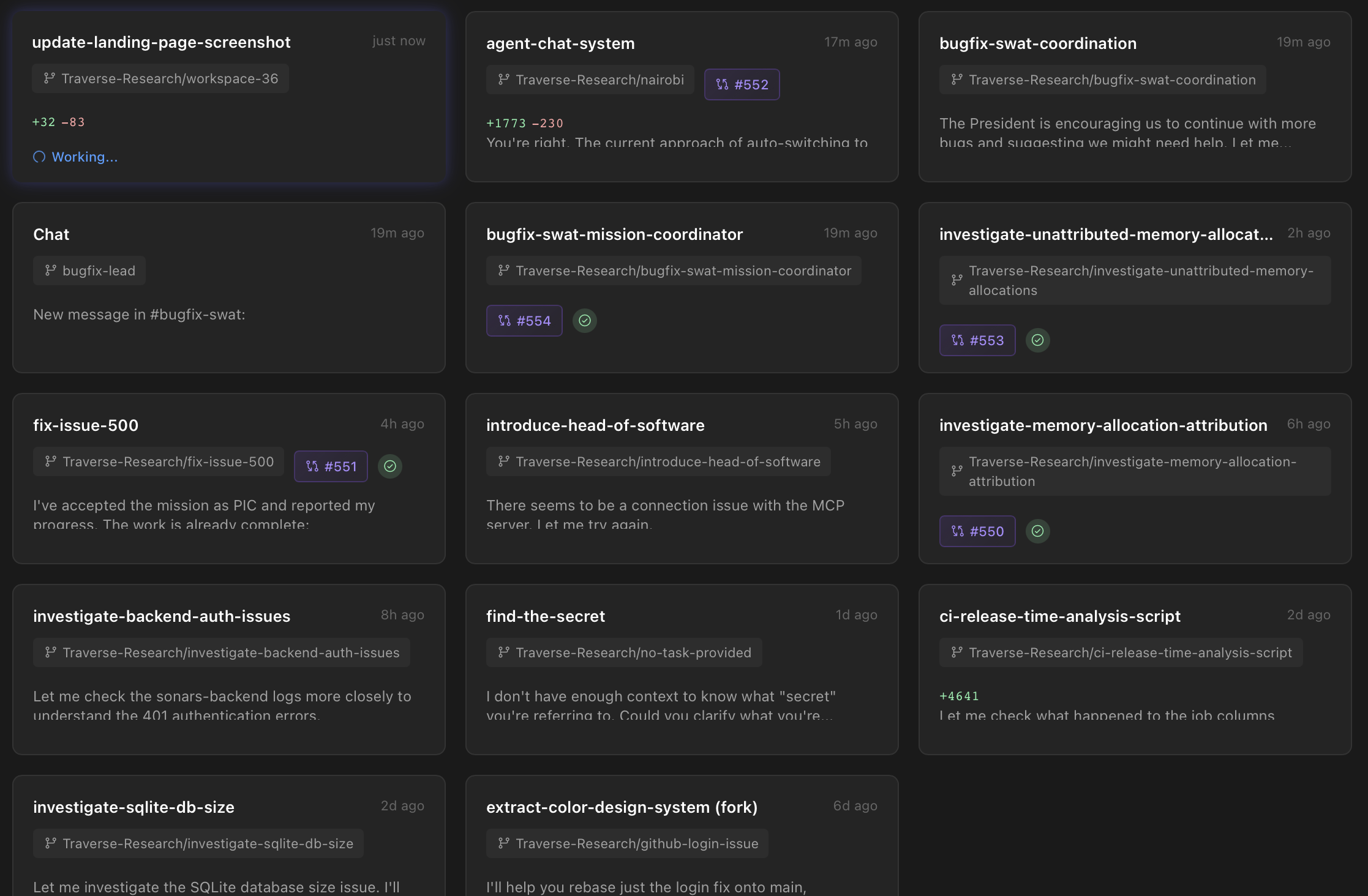
Stop jumping between tabs. The conversation grid shows all your workspaces as cards, each displaying the conversation title, branch, PR status, and recent messages. Click to expand any card and see the full conversation or send a quick message.
- Card-based layout showing all active workspaces
- PR and CI status visible at a glance
- Branch names and last activity timestamps
- Expandable cards with message preview
Send Messages Without Leaving the Grid
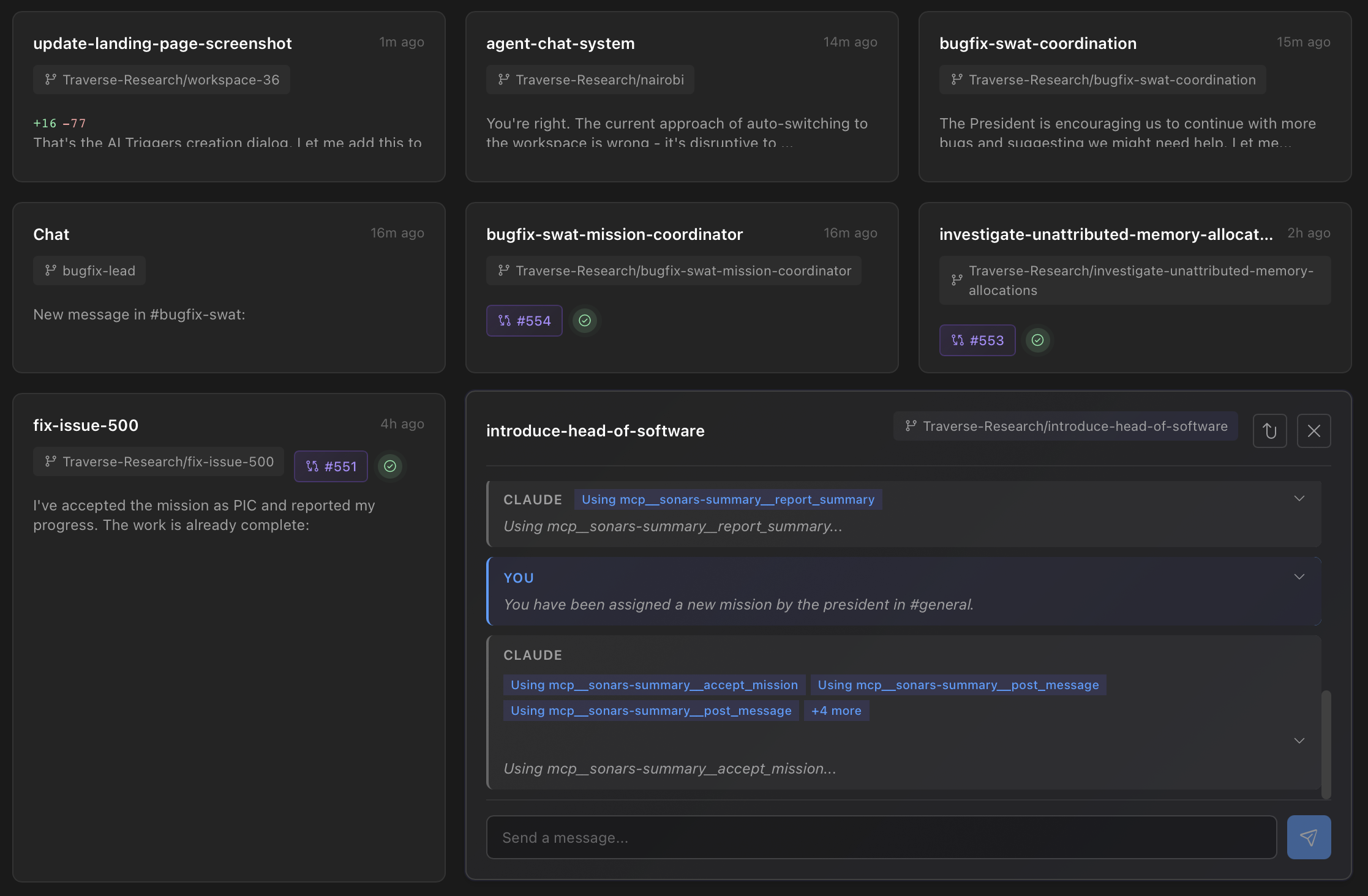
Expand any card to see recent messages and reply directly. Your message streams in real-time with beautiful animations showing when Claude is thinking or generating. No need to open the full workspace for quick interactions.
- Inline message composition in expanded cards
- Real-time streaming responses
- Full conversation continuity with session resumption
- One-click to open full workspace view
Visual Status Indicators
Know exactly what's happening in each workspace. Cards display animated borders when Claude is generating a response or waiting for input. PR status badges show CI results at a glance.
- Rotating gradient border when Claude is generating
- Pulsating amber animation for waiting state
- Green/red/yellow CI status indicators
- Unread message badges
Use Cases
Multi-Project Management
Keep tabs on multiple features or bug fixes across different repos without losing context.
Team Lead Oversight
Monitor the progress of AI-assisted work across your team's workspaces.
Quick Status Checks
Glance at all your active conversations to see which need attention.
Rapid Context Switching
Switch between projects by clicking cards instead of navigating through menus.
PR Monitoring
See CI status for all your in-progress PRs in one unified view.
Async Collaboration
Leave messages for Claude in multiple workspaces and check back on all of them at once.
Take Control of Your Workspaces
Try the new Conversation Grid View and manage all your AI-powered development sessions from a single, beautiful interface.